
HOW MAMBA WORKS
Discover the revolutionary technology behind Mamba Management App.
From setup to execution, understand every step of the process.
01 STRATEGY DEEP DIVE
V1 Growth - Smart Breakeven System
Conservative strategy with 2:1 reward-to-risk ratio. When trade reaches 50% profit, Stop Loss auto-moves to breakeven—eliminating risk while keeping full upside.
V1 Trading Parameters Explained
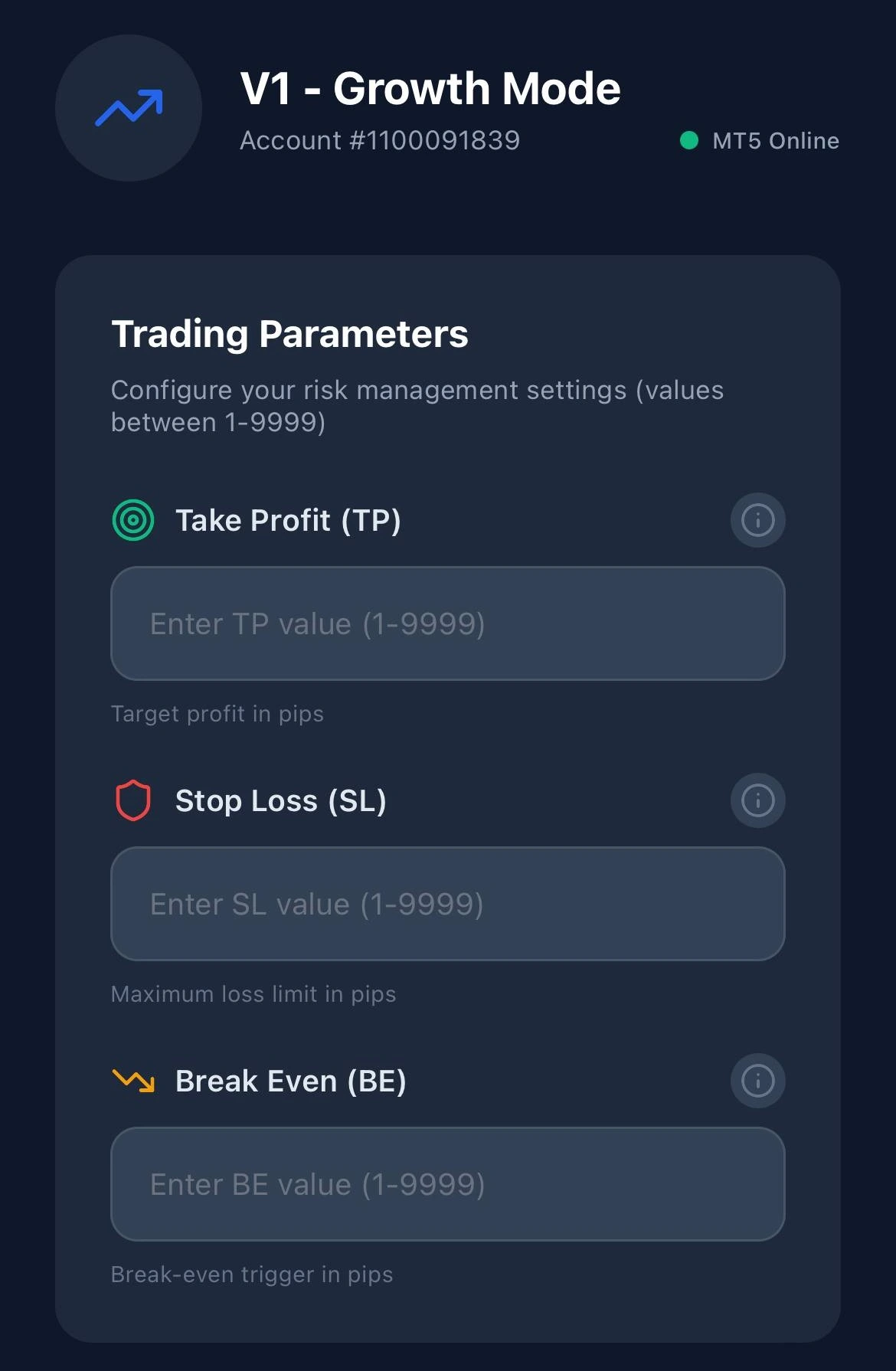
🎯 Take Profit (TP)
Your profit target per trade. Typical: 30-100 pips. Example: TP 50 = +50 pips profit target.
🛡️ Stop Loss (SL)
Maximum loss per trade. Use 2:1 ratio. Example: TP 50 pips = SL 25 pips.
📊 Break Even (BE)
Auto-moves SL to entry when profit hits this level. Set to 50% of TP. Example: TP 50 = BE 25.
💡 Pro Tip: For optimal V1 Growth results, use TP: 50, SL: 25, BE: 25 on major pairs like EUR/USD during London session.
V2 Superscalping - Dynamic Trailing Stop
High-frequency strategy for active traders. Stop Loss trails price movement at fixed distance—locking profits while letting winners run. Ideal for trending markets.
V2 Superscalping Parameters Explained
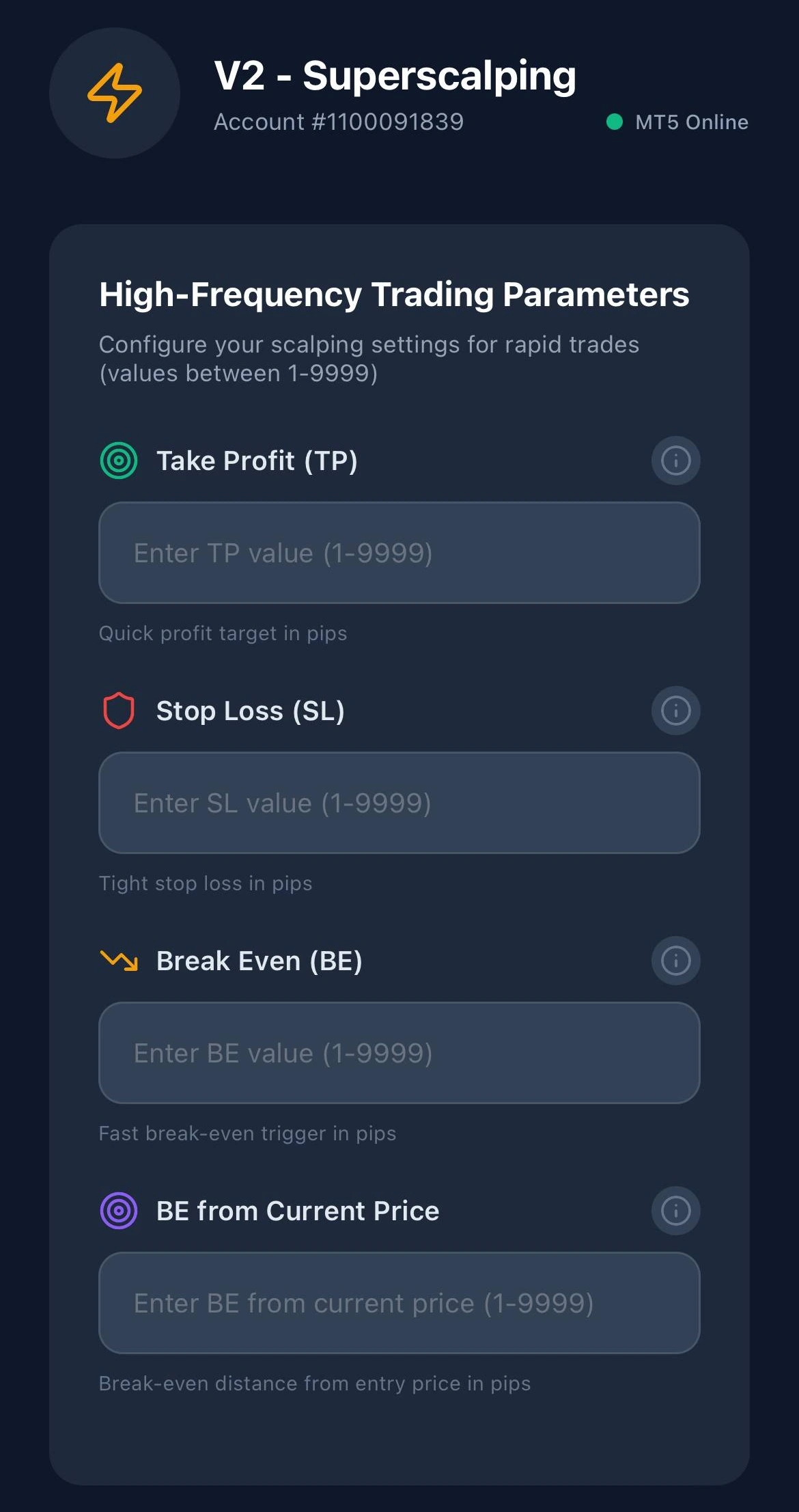
⚡ Take Profit (TP)
Quick profit target. Range: 10-30 pips. Lower values = more trades daily.
🛡️ Stop Loss (SL)
Tight stop for scalping precision. Use 2:1 ratio. Example: TP 20 = SL 10.
📊 Break Even (BE)
Trigger after BE activates trailing stop. Set to 50% of TP. Example: TP 20 = BE 10.So your SL will trigger the movement toward the current price.
🎯 BE from Current Price
Trailing distance—how many pips SL stays behind peak price. Lower = tighter protection. Higher = larger potential gains.The distance from current price from SL after BE triggered.
⚡ Pro Tip: For aggressive V2 Superscalping, try TP: 20, SL: 10, BE: 10, BE from Current: 8 on volatile pairs like GBP/JPY during NY session.
02 SETUP PROCESS
OPEN YOUR MT5 ACCOUNT
Start by creating a MetaTrader 5 account with our recommended broker, JustMarkets. The broker provides institutional-grade infrastructure with low spreads and fast execution.
- ✓ Register with JustMarkets broker
- ✓ Complete KYC verification
- ✓ Fund your trading account
- ✓ Download MT5 terminal
DOWNLOAD MAMBA MOBILE APP
Install the Mamba Trading App from Google Play Store or Apple App Store. The app provides the remote control interface for your entry management.
- ✓ Available on iOS & Android
- ✓ Secure biometric login
- ✓ Real-time notifications
- ✓ Offline mode support
AUTHENTICATE & LINK ACCOUNT
Open the mobile app and enter your MT5 account credentials. Mamba will establish a secure connection between your phone and the EA running on your terminal.
- ✓ Enter MT5 login & server
- ✓ Verify connection status
- ✓ Enable auto-sync
- ✓ Multi-account support
CONFIGURE TRADING STRATEGY
Choose your trading mode (Growth or Superscalping) and set your risk parameters. All settings are applied instantly to the EA without restarting.
- ✓ Select V1 Growth or V2 Superscalping
- ✓ Set Take Profit levels
- ✓ Configure Stop Loss
- ✓ Enable Break Even mode
START TRADING
Activate the EA from your mobile app and let Mamba manage your trades. Monitor performance, adjust settings, and control everything from your smartphone.
- ✓ One-tap EA activation
- ✓ Live P&L tracking
- ✓ Start trading on the MT5 app
- ✓ Remote parameter adjustment
03 READY TO START?
Join thousands of traders who have revolutionized their trading with Mamba. Get started today and experience the future of mobile algorithmic trading.